How To Install ...
Installing Cable Cutters on your Amazon Firestick or Android TV box (we recommend the onn™ Android TV Box, inexpensive, highly effective, 4K) can be a bit tricky at times. This guide will walk you through the essential steps required to get your device up and running. Whether you're a tech novice or a seasoned pro, our detailed instructions will ensure you enjoy uninterrupted access to your favorite cable channels.
Essential Prerequisites for a Smooth Installation
Before you dive into the installation process, there are a few prerequisites you should check off. Ensure that your Amazon Firestick is fully updated and connected to your home Wi-Fi network. Additionally, have your Cable Cutters account details ready for logging in. This preparation will make the installation process much smoother.
Software Requirements for Cable Cutters
To successfully install Cable Cutters, it's crucial to have the right software. Make sure you download the official Cable Cutters app from the Amazon Appstore. This application is designed specifically for the Firestick, ensuring compatibility and optimal performance. Having the latest version will guarantee that you have access to all features and enhancements.
Step-by-Step Installation Process
Follow these straightforward steps to install Cable Cutters on your Firestick. First, navigate to the 'Search' function on your Firestick home screen. Type in 'Cable Cutters' and select the app. Next, click 'Get' to download and install the app. Once the installation is complete, open the app and log in with your credentials. Finally, customize your settings and start enjoying your favorite channels!
Troubleshooting Common Installation Issues
If you encounter difficulties during the installation of Cable Cutters, there are a few common issues you can address. Ensure your Firestick has a stable internet connection, as connectivity issues can hinder the installation process. Additionally, if the app fails to open, try restarting your device. For further assistance, check our support page or contact our customer service.
Transform Your Viewing Experience: Installation Process Images
Explore visual aids and step-by-step instructions through an image gallery showcasing the installation process of Cable Cutters on Firestick. This section provides useful tips and tricks to help users navigate the installation effectively, enhancing their viewing experience.
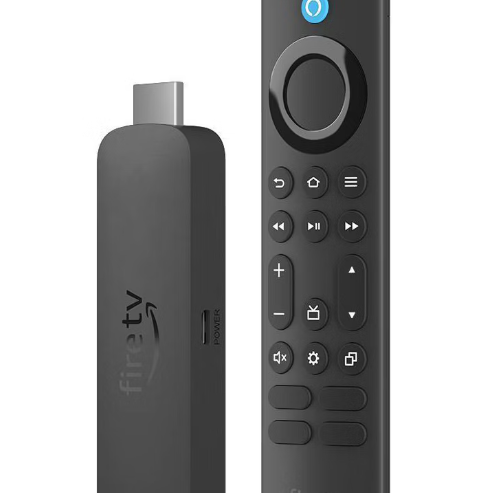
Amazon Firestick
Initial Setup Essentials
The first step to enjoying the benefits of Cable Cutters is to initiate the setup process on your Firestick. This involves simple actions like connecting your device to the television and ensuring your remote is functional.
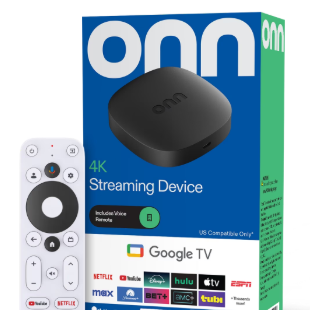
onn™ Android TV Box
Establishing a Stable Connection
Once your Firestick is set up, the next crucial step is connecting it to a stable internet network. This image gallery will guide you through the process of locating the Wi-Fi settings and entering your credentials.
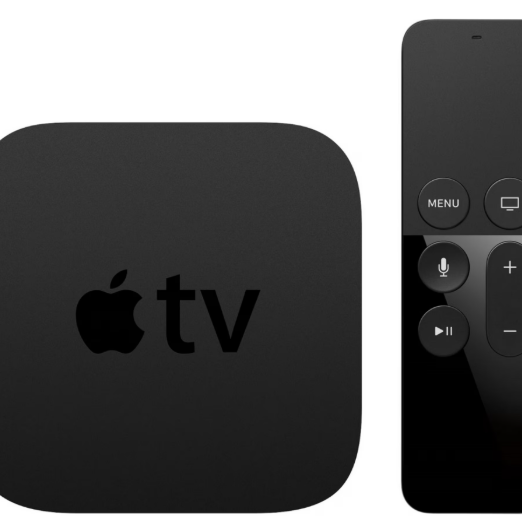
Apple TV box or iPhone
Quick App Installation Guide
After connecting to the internet, the next logical step is to install the Cable Cutters app. Our guide illustrates how to find and install the app from the Firestick app store seamlessly.

Windows Laptop
Personalizing Your Experience
Finally, to personalize your viewing experience, you'll want to set up your user account. This section provides visuals to help you navigate the account creation process, ensuring you can easily access all the features of Cable Cutters.